Have you compressed a photo, found it blurry, and raised the quality setting again? The same quality number can produce different results depending on whether you start with the original or an already-compressed output.
Instead of comparing formats, we compared workflows: repeated saves at JPEG quality 80, fresh exports from the original, and a quality-80 file saved at 60 and then 80 again.
Three distinctions to make first
The text chart stayed around 89KB after one and ten saves, while mean color difference from the source grew from 1.0946 to 2.1675.
In the same environment at the same settings, every new quality-80 export from the source PNG was byte-identical.
Both charts showed a larger difference after 80→60→80 than after a single quality-80 export from the source.
Two charts, fixed dimensions and three save paths
- 1
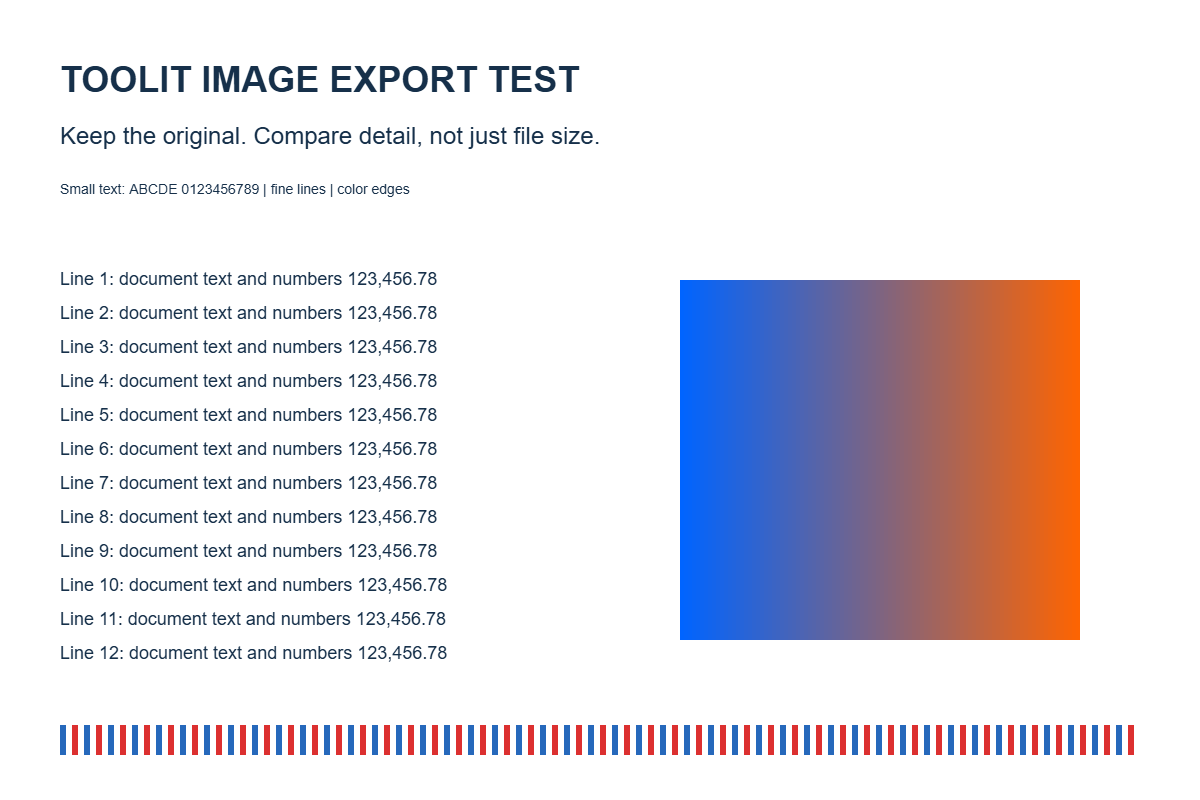
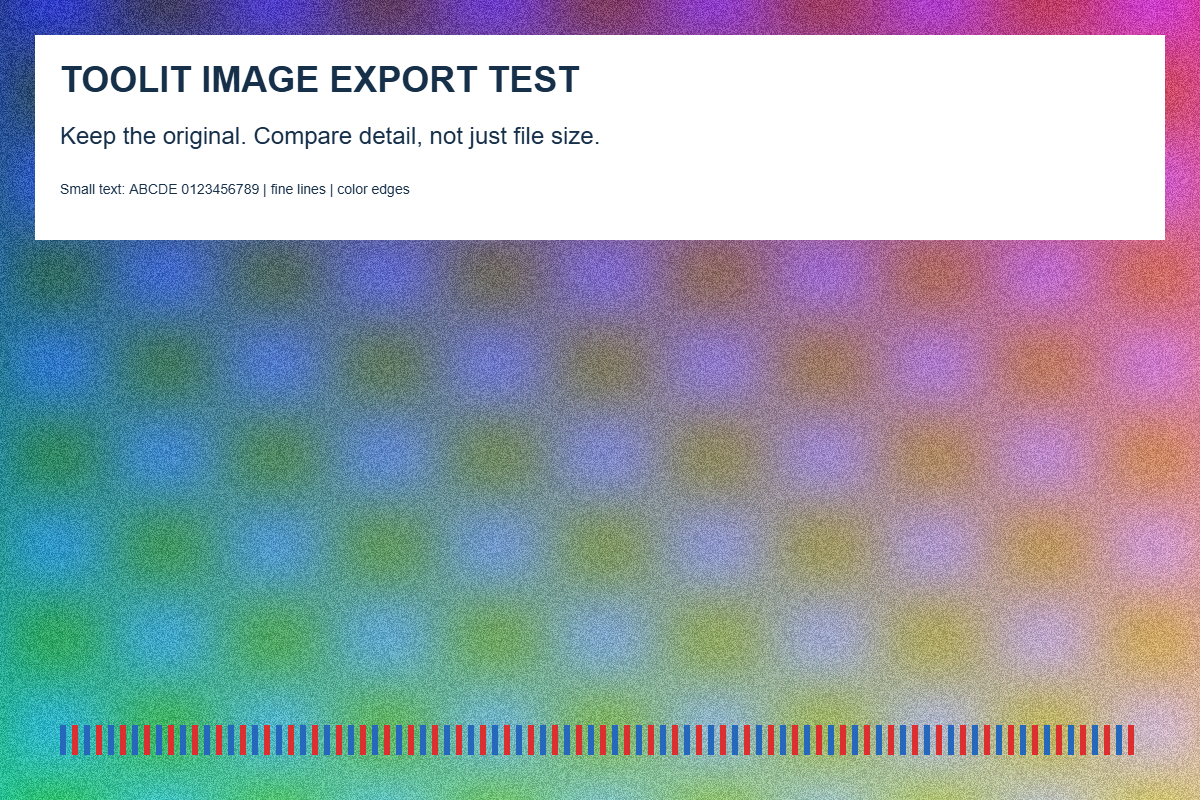
On September 26, 2026, we generated two 1,200×800 PNG charts in Chrome 153 on Windows. One has small text and lines; the other includes deterministic noise and gradients. This was not an evaluation of a real-photo collection.
- 2
A separate local experiment page reproduced Toolit's manual JPEG quality processing using browser Canvas. Resizing, cropping, rotation and target-size mode were excluded. It was not an end-to-end test of every tool UI step.
- 3
The repeated path decoded the previous JPEG and saved it at quality 80, recording saves 1, 2, 5 and 10. The original path made fresh quality-80 exports from the same PNG at each checkpoint. We also tested 80→60→80.
- 4
We measured file size, byte identity and mean absolute RGB difference from the PNG source. The difference is averaged over all color channels and pixels on a 0–255 scale; lower is closer to the reference. It is not a quality percentage or a human preference score. Identical crops were enlarged three times for inspection.
The same quality 80 still drifted further from the source
Sizes use 1KB=1,000 bytes. Text and texture have different characteristics: compare save paths within each chart, not the absolute scores as a quality ranking between the charts.
| Previous-output saves | Text size | Text difference | Texture size | Texture difference |
|---|---|---|---|---|
| 1 | 88.9KB | 1.0946 | 245.2KB | 4.9885 |
| 2 | 89.4KB | 1.4117 | 245.1KB | 5.1301 |
| 5 | 89.8KB | 1.8726 | 245.0KB | 5.3727 |
| 10 | 89.6KB | 2.1675 | 245.0KB | 5.5251 |
- The text chart grew and then shrank; the texture file shrank slightly. Saving again does not guarantee a smaller file.
- Differences increased at the measured checkpoints, but not by a fixed amount per save. We cannot extend this pattern to every image or beyond ten saves.
- JPEG discards some information during encoding. Feeding the previous output back in makes the next file from already-changed pixels. Simply copying, renaming or viewing a file does not itself perform this recompression.
What happened when each export started from the original?
Fresh quality-80 exports from the source PNG were byte-identical at checkpoints 1, 2, 5 and 10. The text chart remained 88,877 bytes with difference 1.0946; the texture chart remained 245,156 bytes with difference 4.9885. Earlier output changes did not accumulate because those outputs were not used as inputs.
In Toolit, changing quality and compressing again while keeping the same selected input rereads that original input. Moving the slider repeatedly is not the ten-save chain in this experiment. Downloading a result and loading that file as the next input creates the repeated-output path.
Our reference is a generated PNG. A user's camera-original JPEG may already contain JPEG loss. Keeping the earliest original avoids additional generations; it does not reconstruct information lost during capture or earlier encoding.
Did lowering to 60 and returning to 80 undo the loss?
For both charts, 80→60→80 differed more from the source than a direct quality-80 export. A higher quality setting describes how to save the current input; it does not recover detail discarded by previous saves.
| Save path | Text size / difference | Texture size / difference |
|---|---|---|
| Original → 80 | 88.9KB / 1.0946 | 245.2KB / 4.9885 |
| Original → 80 → 60 → 80 | 78.5KB / 2.2588 | 212.5KB / 10.1292 |
- A smaller result is not automatically a more efficient file of equal quality. Here, smaller files came with larger differences from the source.
- If only a low-quality output remains, raising its quality setting cannot accurately restore the original letters or texture. Return to the first received file or camera original when available.
Inspect the enlarged crops, but also check the intended viewing size
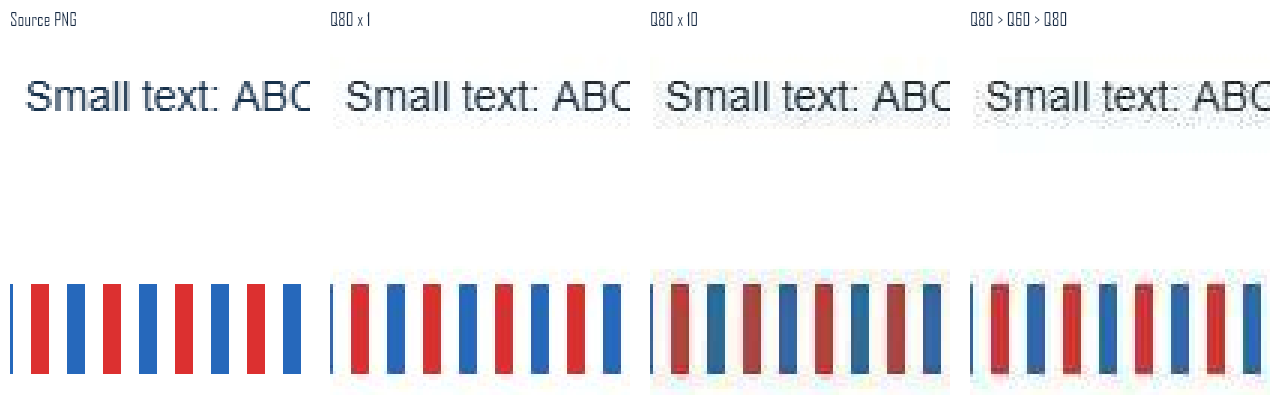
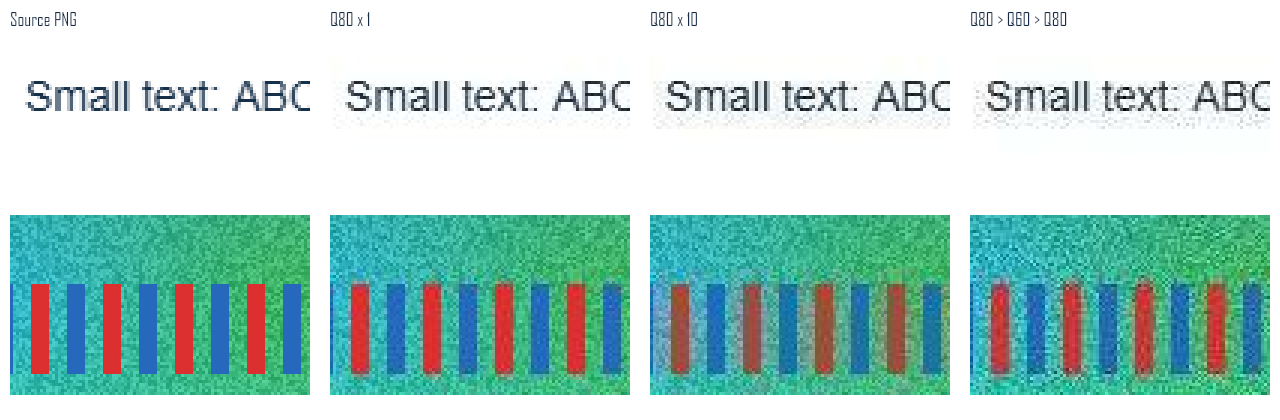
Each comparison runs left to right: source PNG, one quality-80 save, ten quality-80 saves, and 80→60→80. The top crops show small text; the lower crops show colored lines and surrounding texture. Identical regions are enlarged three times without smoothing.
These outputs show changes around small letters and increased spreading around red and blue lines after repeated saves. A difference visible in an enlarged crop is not necessarily equally noticeable in a small phone preview. Check the image at its actual intended size too.
A better workflow for meeting a file-size limit
Keep originals and submission outputs in separate folders so it is clear which file to reuse. The goal is not to insist on maximum quality; it is to compare candidate outputs made from the same starting point.
| Situation | Recommended action | Misconception to avoid |
|---|---|---|
| Just above an upload limit | Make a lower-quality candidate from the same source | Repeatedly feeding outputs back in is always better |
| Compressed photo looks too blurry | Reopen the original and adjust quality or size | Saving the blurry result at 95 restores it |
| Several output sizes are needed | Export each version from the original | Make the large version from the smallest output |
| Editing a document or graphic will continue | Keep an editable original or lossless intermediate | Every JPEG save is lossless |
Reproduction files and what this experiment cannot establish
These are two controlled charts in one browser. We did not measure damage across portraits and landscapes, all JPEG encoders, or a universal number of saves that makes an image unusable. Other encoders or inputs may change less or reach a plateau under particular conditions.
Mean color difference does not assess shifts, color-management differences or perceptual importance. Local problems around small letters can be hidden by an image-wide average, so the enlarged crops accompany the numbers. Download the inputs and measurements to repeat the same-size, same-quality comparison.
Official documentation used for this analysis
For another attempt, start from the original
Repeated JPEG saves increased differences from the source even when file size barely changed. Returning to a previous quality number did not reproduce a direct export from the original.
A practical safeguard is to retain the original and make each purpose-specific output from it. When reusing an already-saved result, first decide whether another lossy encoding step is actually needed.