A removed background is not the same as a finished cutout. A face can survive while wind-blown strands disappear. The area around a glass can become transparent while its body retains the old background color. These differences are easy to miss in a small preview.
We processed four licensed public photographs twice each, changing only the mode. The photos were not taken by Toolit. All comparisons use actual outputs, with no generative repair, manual edge cleanup or color correction.
What Detailed changed—and what it did not
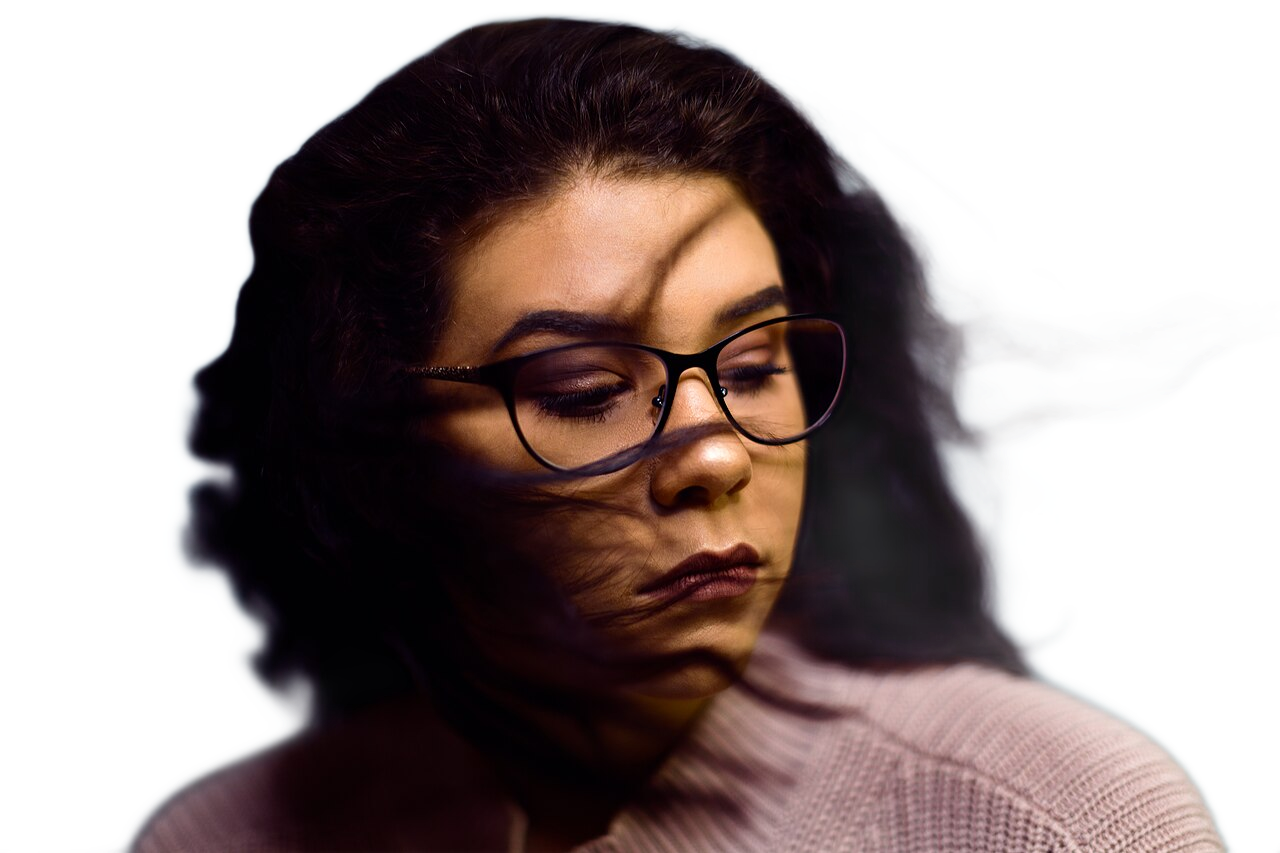
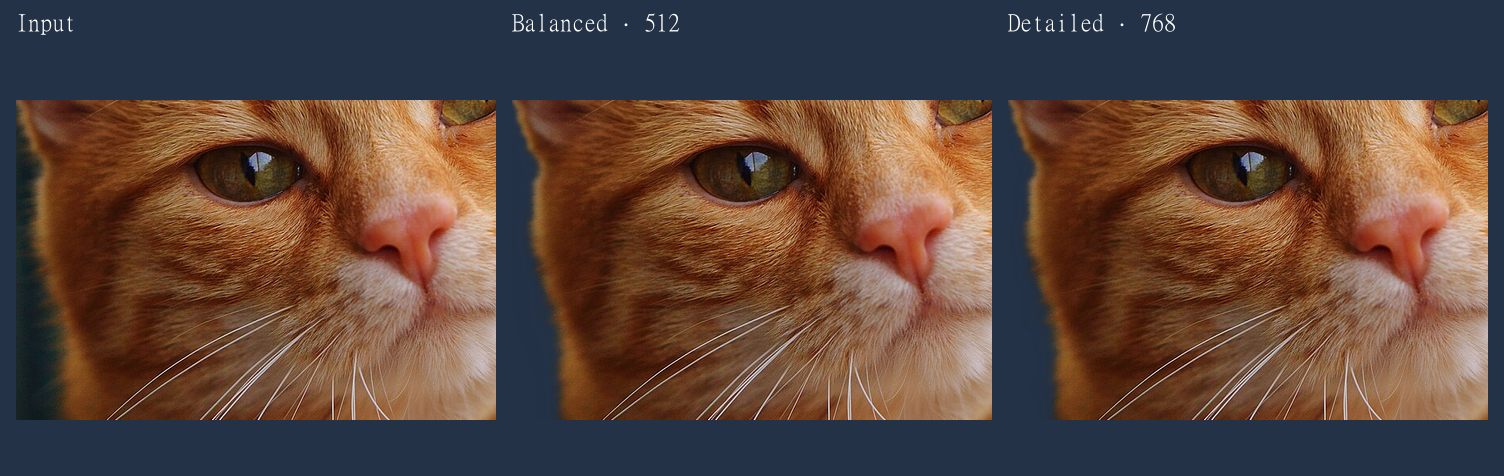
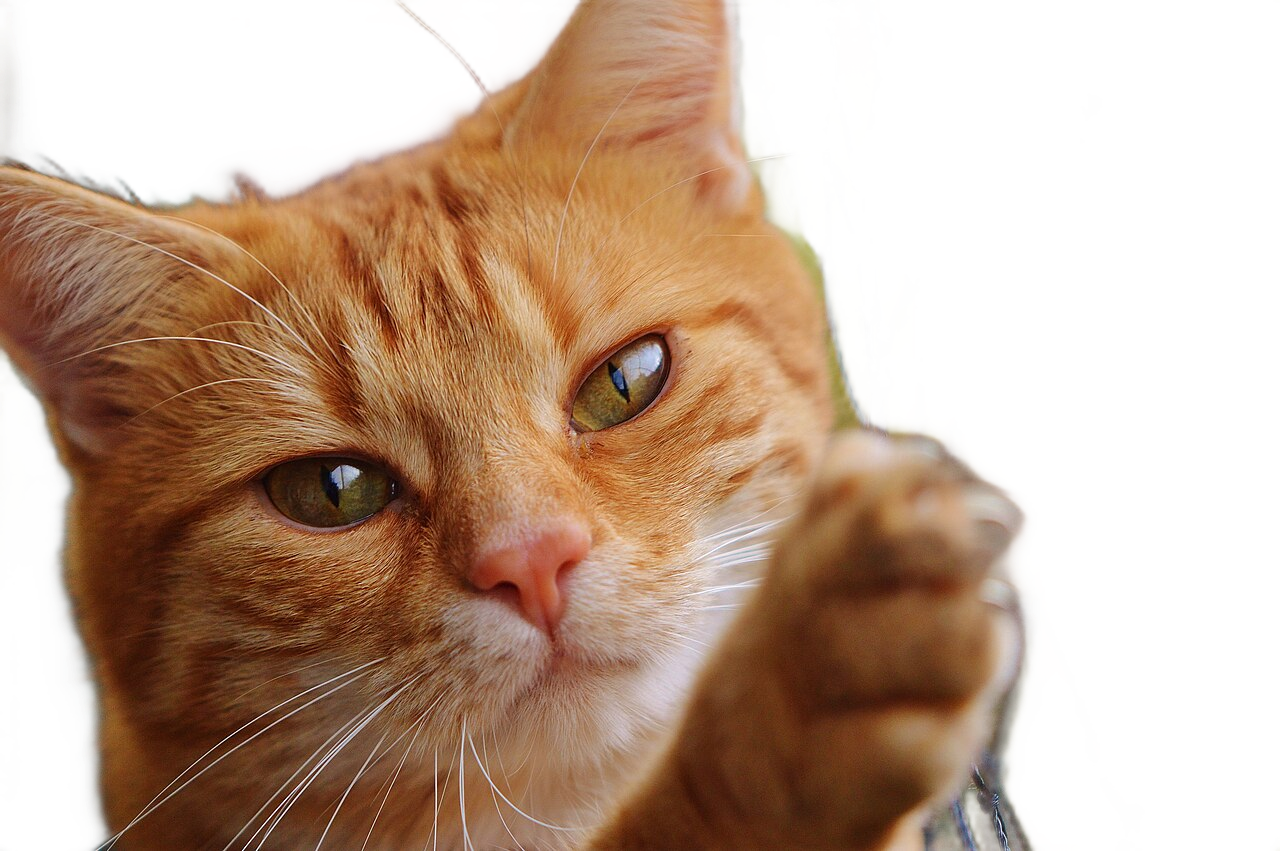
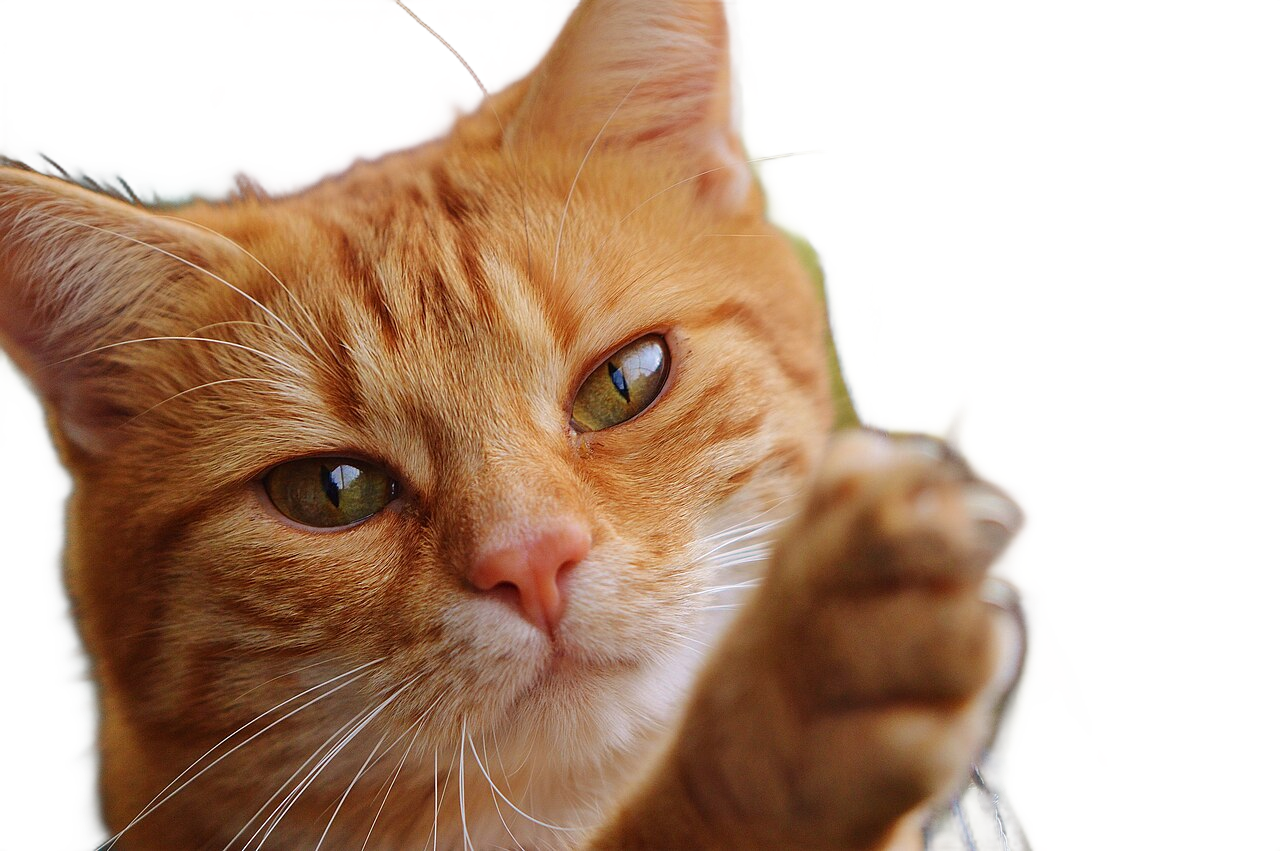
Detailed retained more of some cat whiskers, but both modes lost much of the wind-blown hair in the portrait.
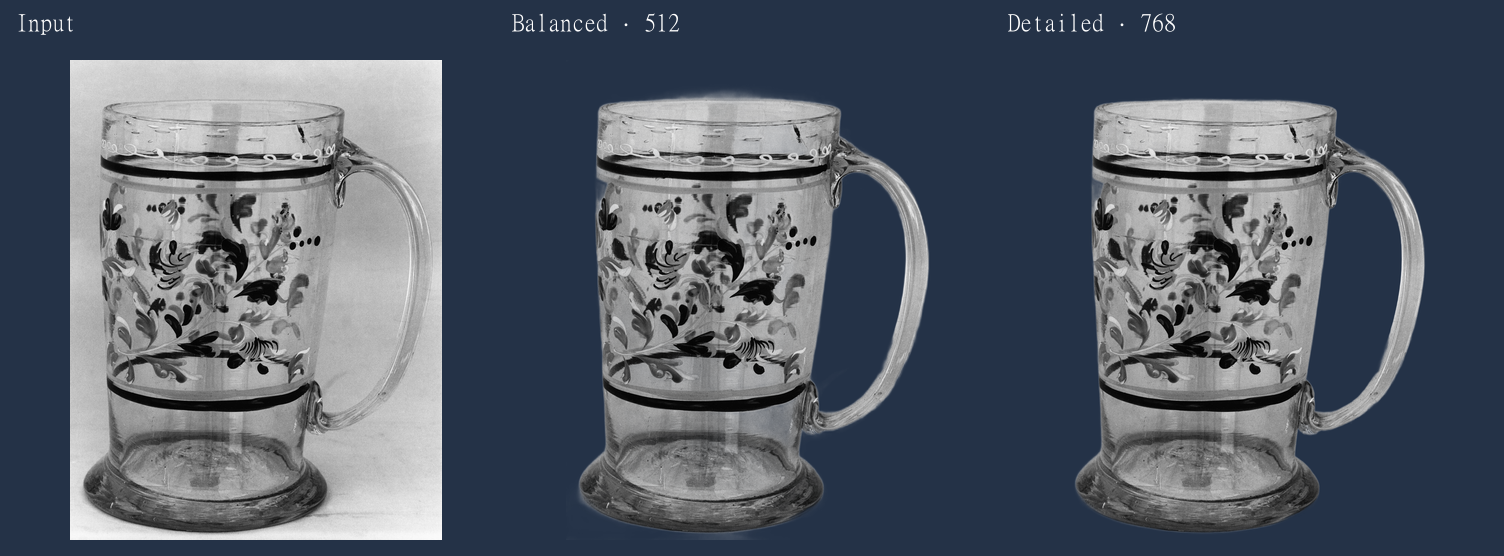
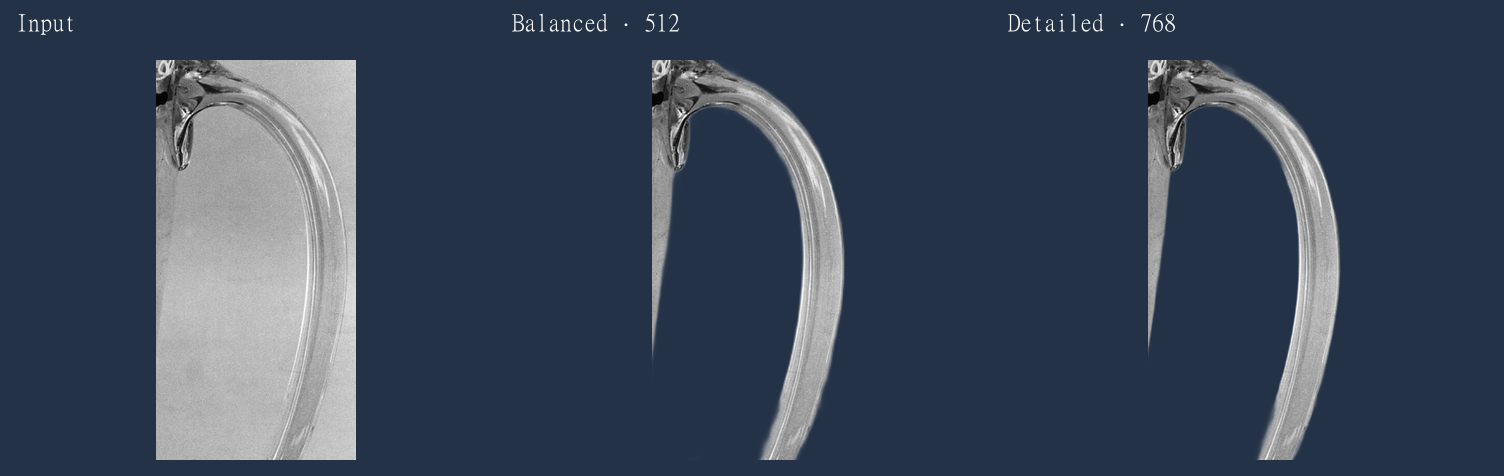
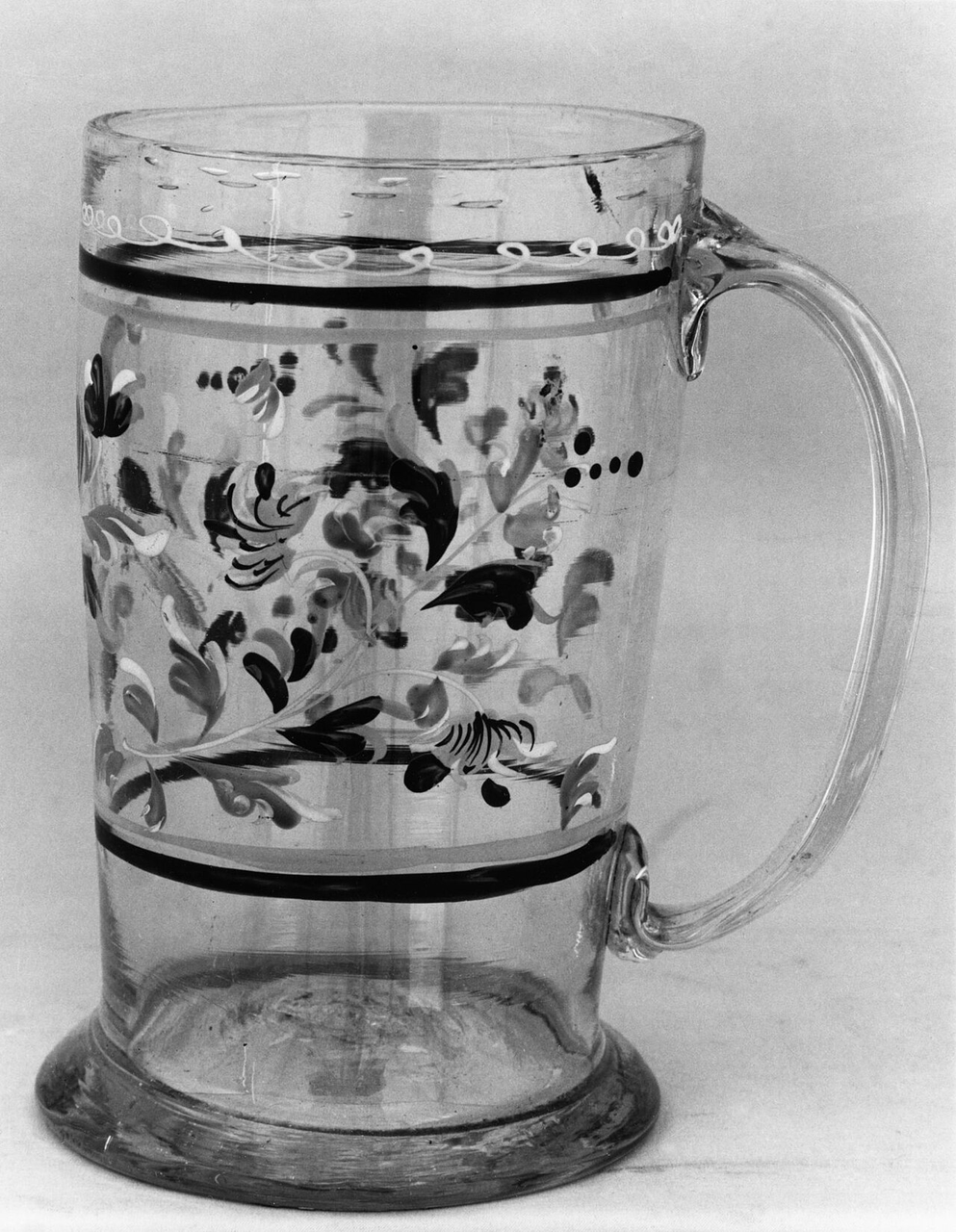
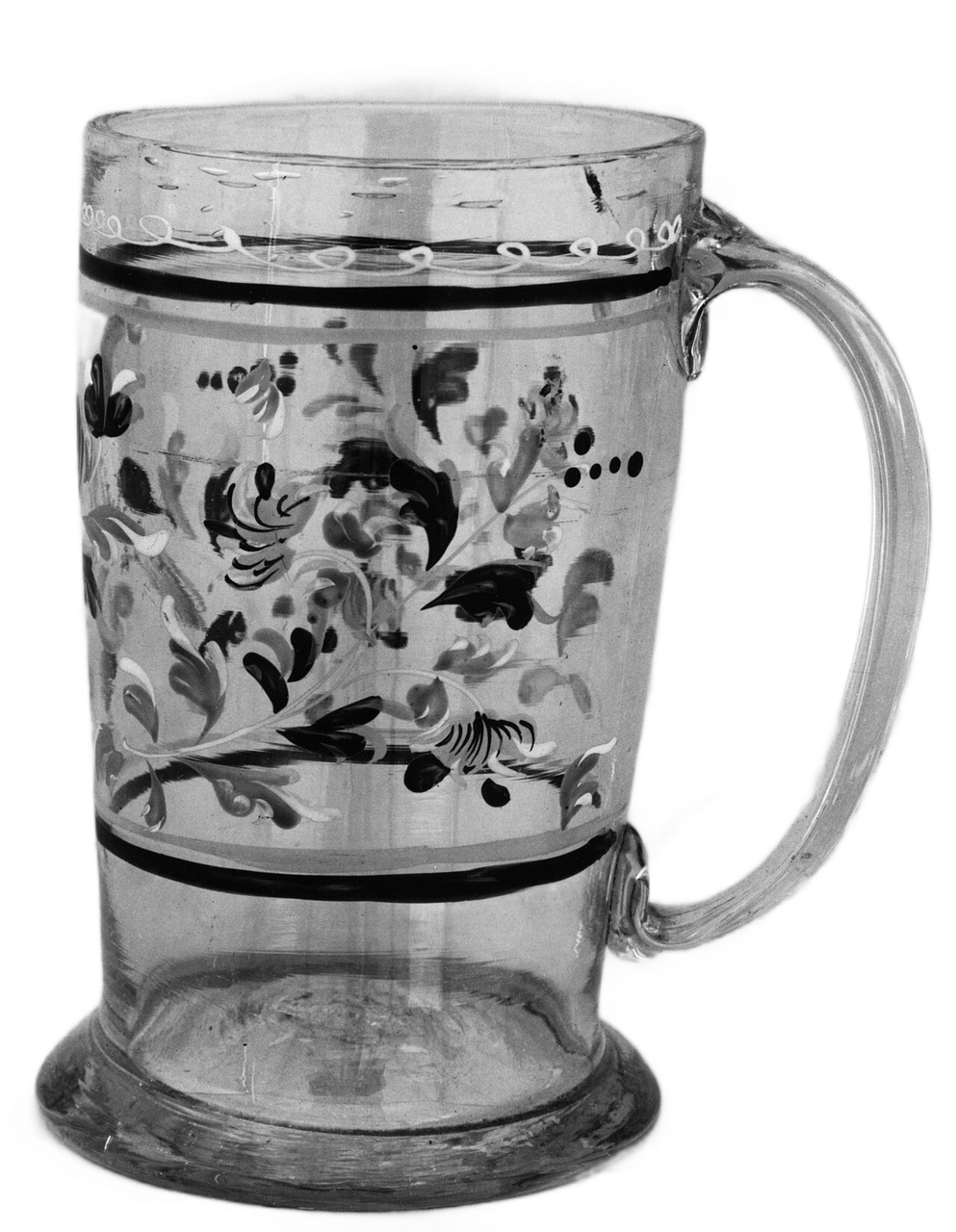
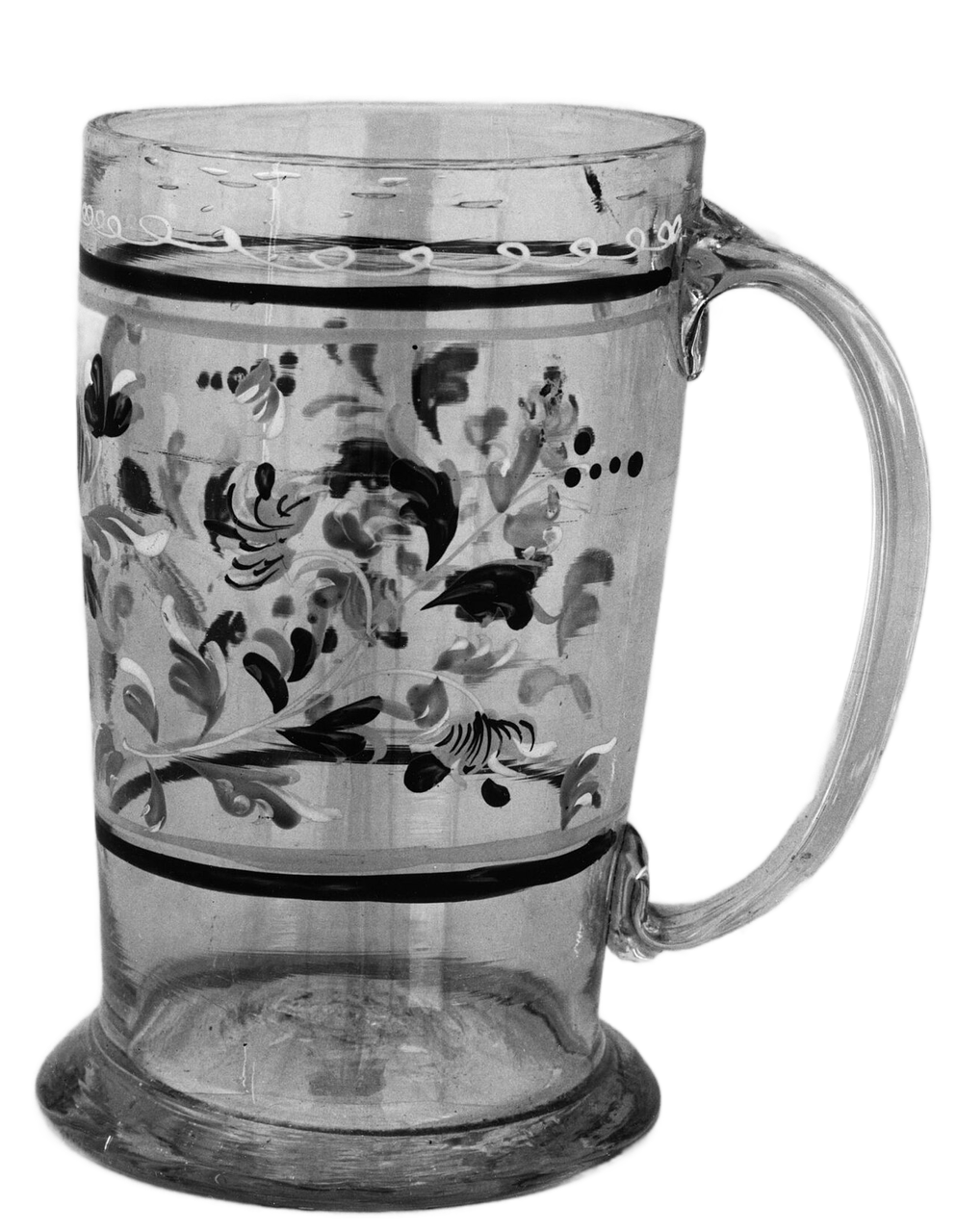
The mug’s handle opening cleared, but its body retained gray rather than adapting its transmitted color to a new background.
Both modes preserve the input dimensions; segmentation uses a 512×512 or 768×768 image.
Eight completed files, not 100% quality
All eight runs produced transparent PNGs. Completion is not an accuracy score. We have no hand-labeled ground-truth masks and do not report an invented removal percentage.
| Photo / input and output size | Shared observation | Mode difference |
|---|---|---|
| Glass mug / 993×1280 | Handle opening cleared; gray body retained | Inner handle edge and residual area near base differed |
| Hair / 1280×853 | Face and torso retained; fine right-hand strands lost | Different boundaries, but no full strand recovery |
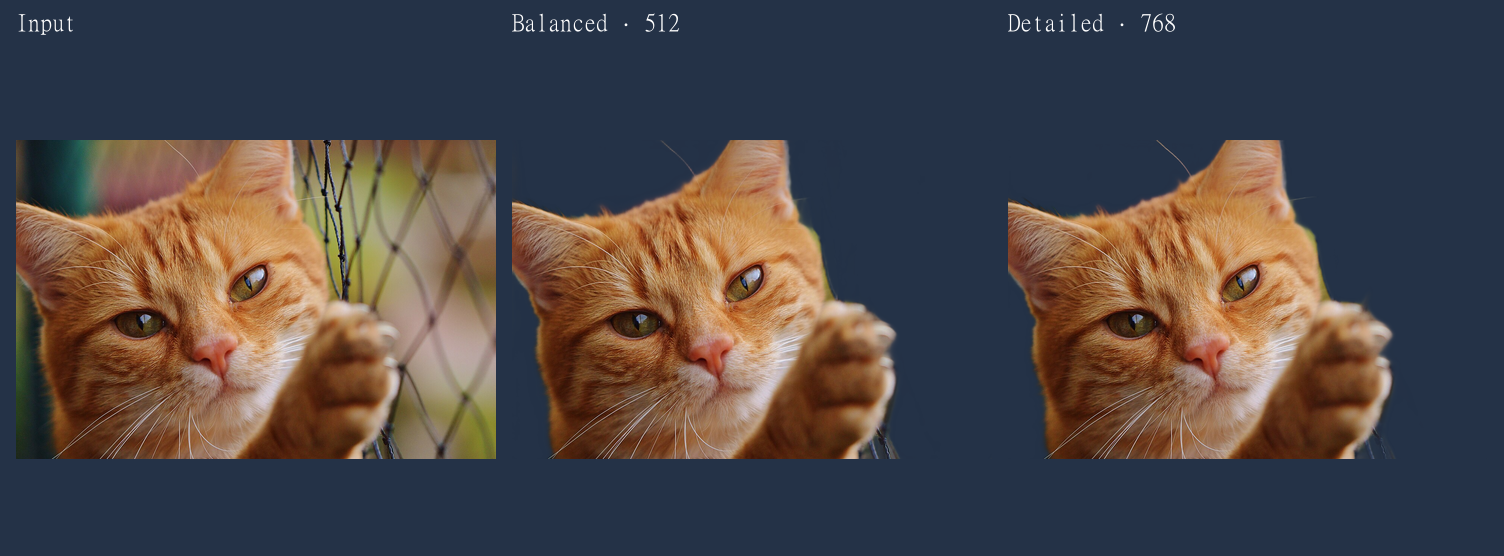
| Cat / 1280×851 | Face and paw retained; some cord below paw remained | Detailed continued more of some lower-left whiskers |
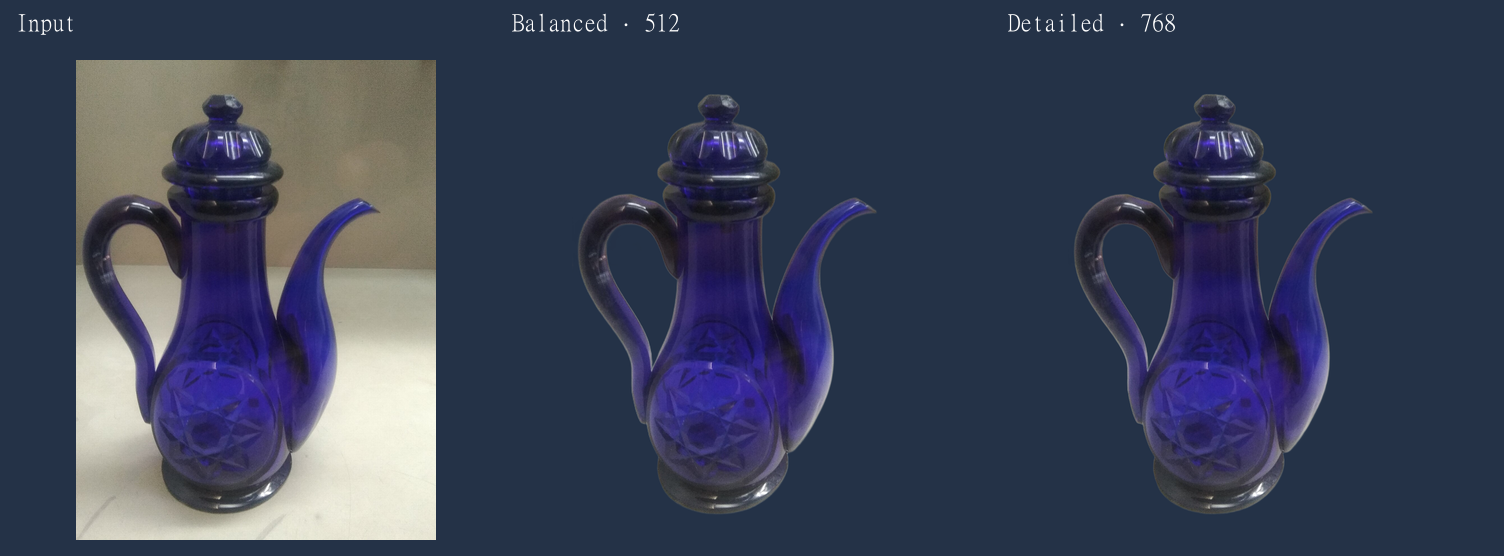
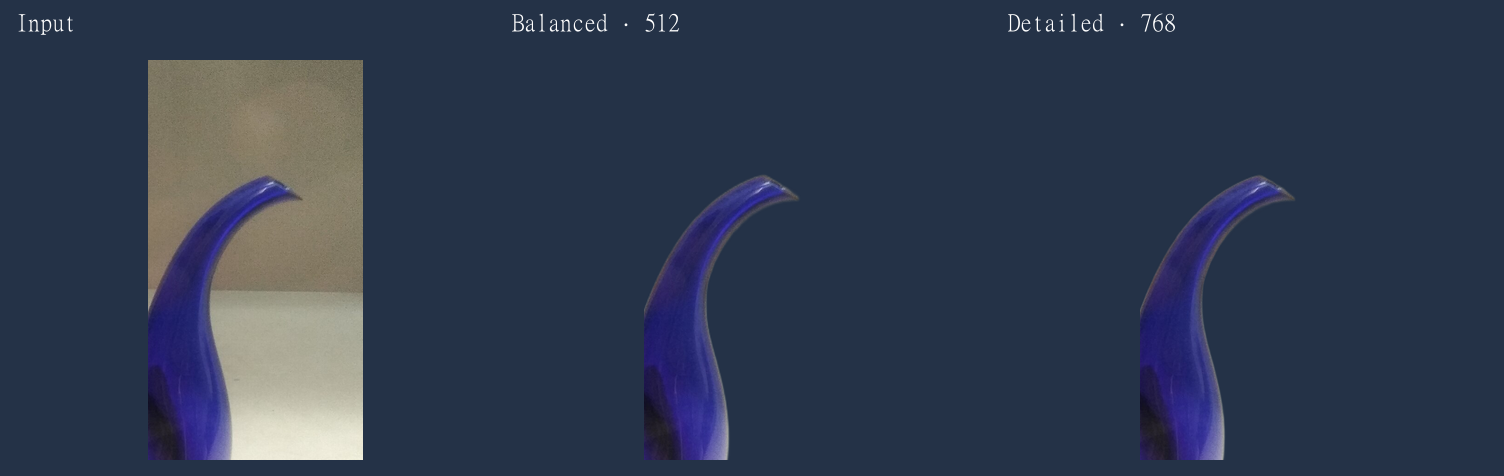
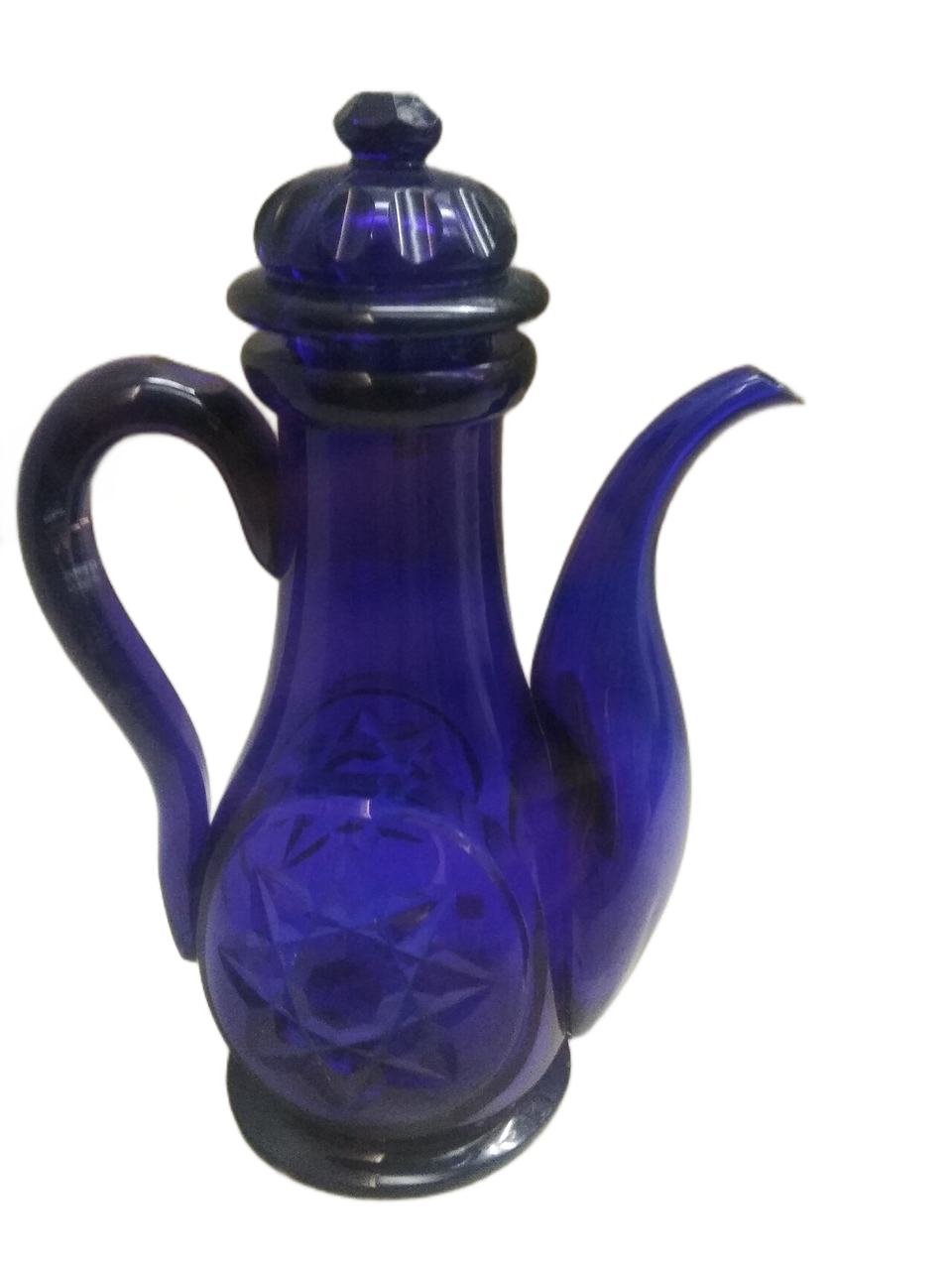
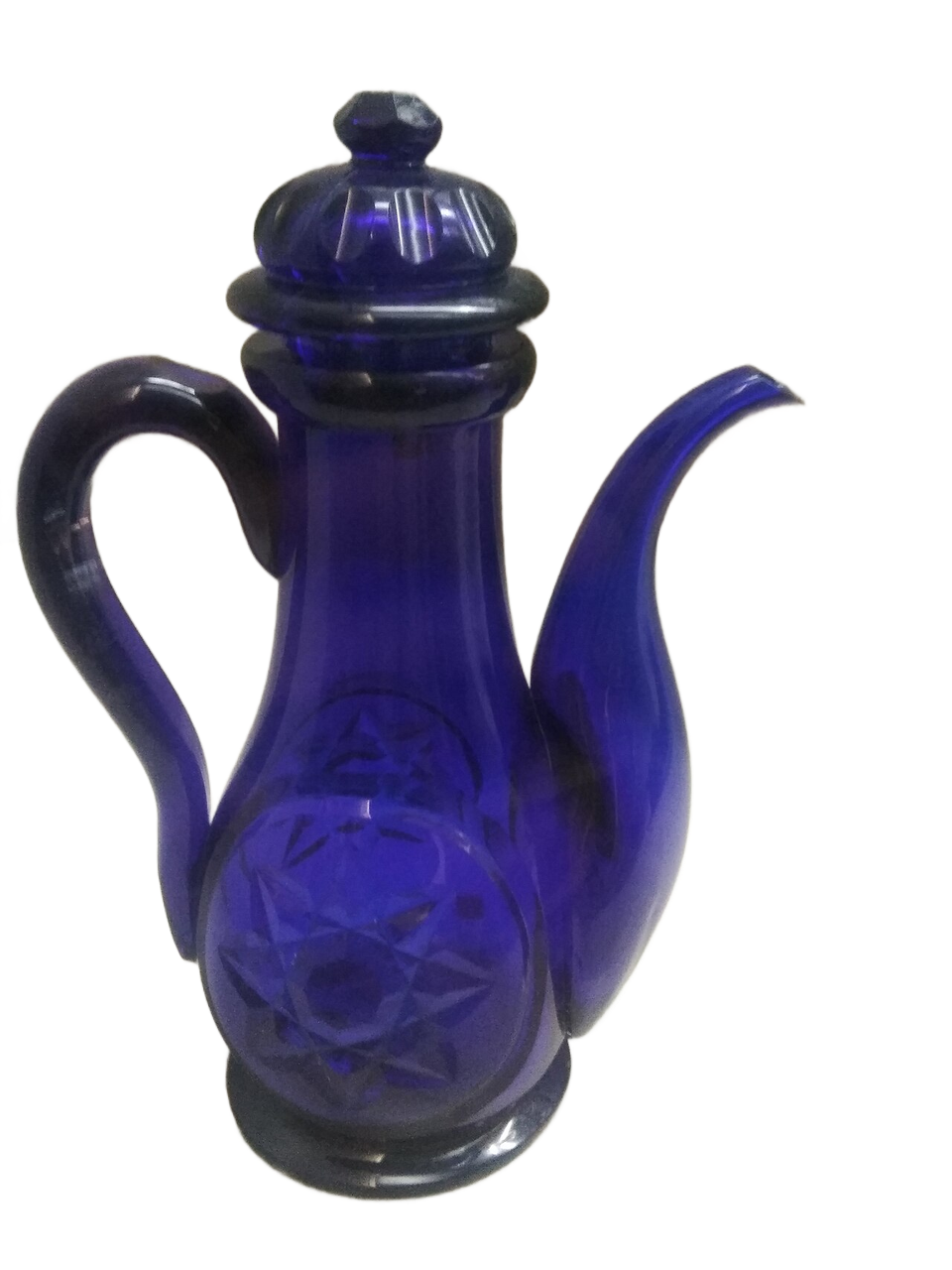
| Blue glass ewer / 960×1280 | Main outline and handle opening separated | Small spout boundary differences; similar internal colors |
Hair: a good face cutout can still lose fine strands
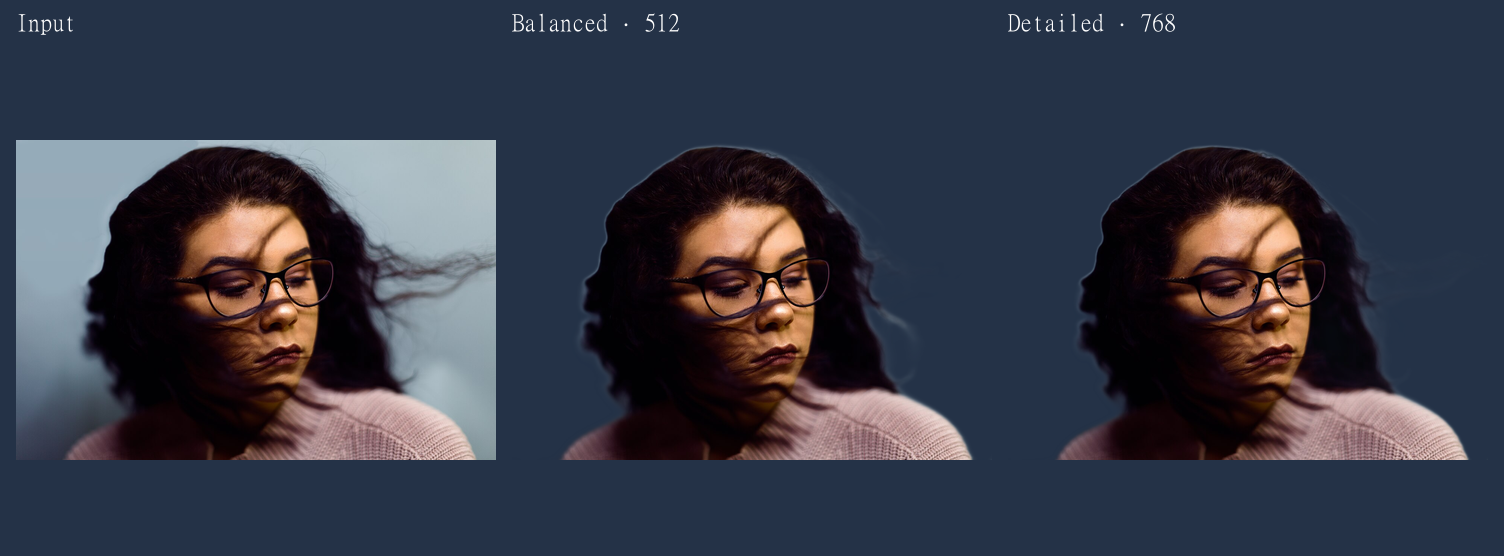
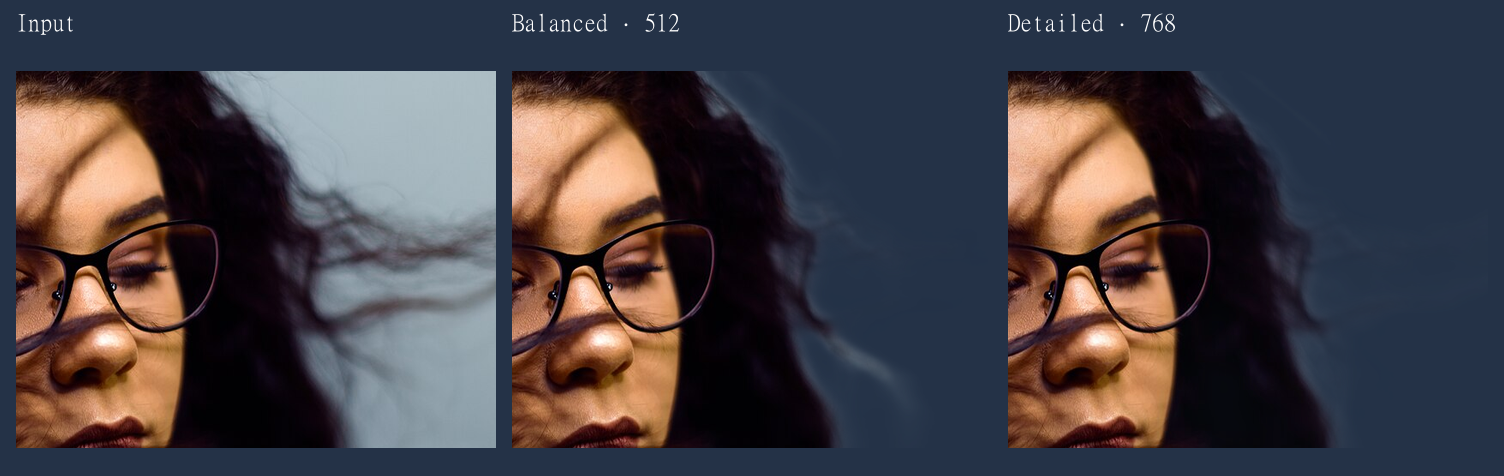
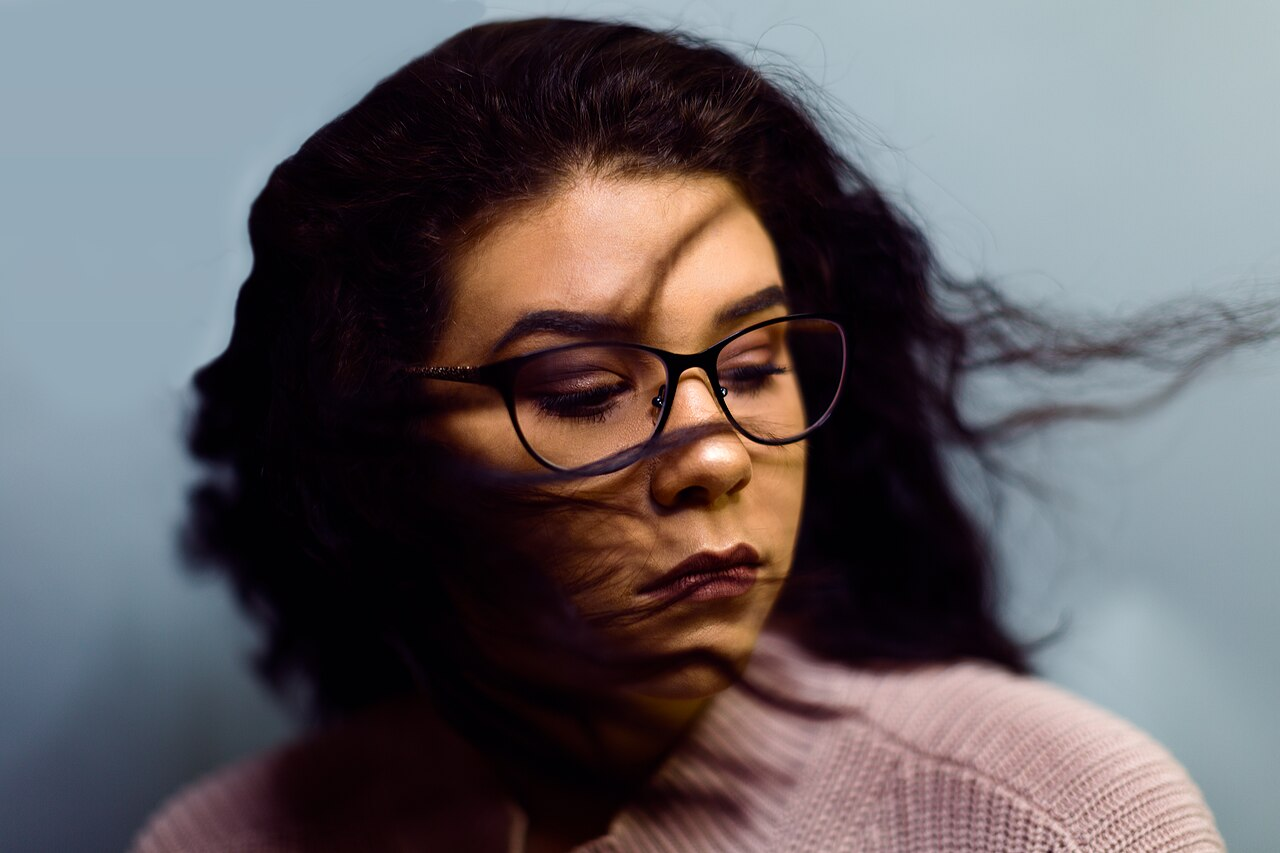
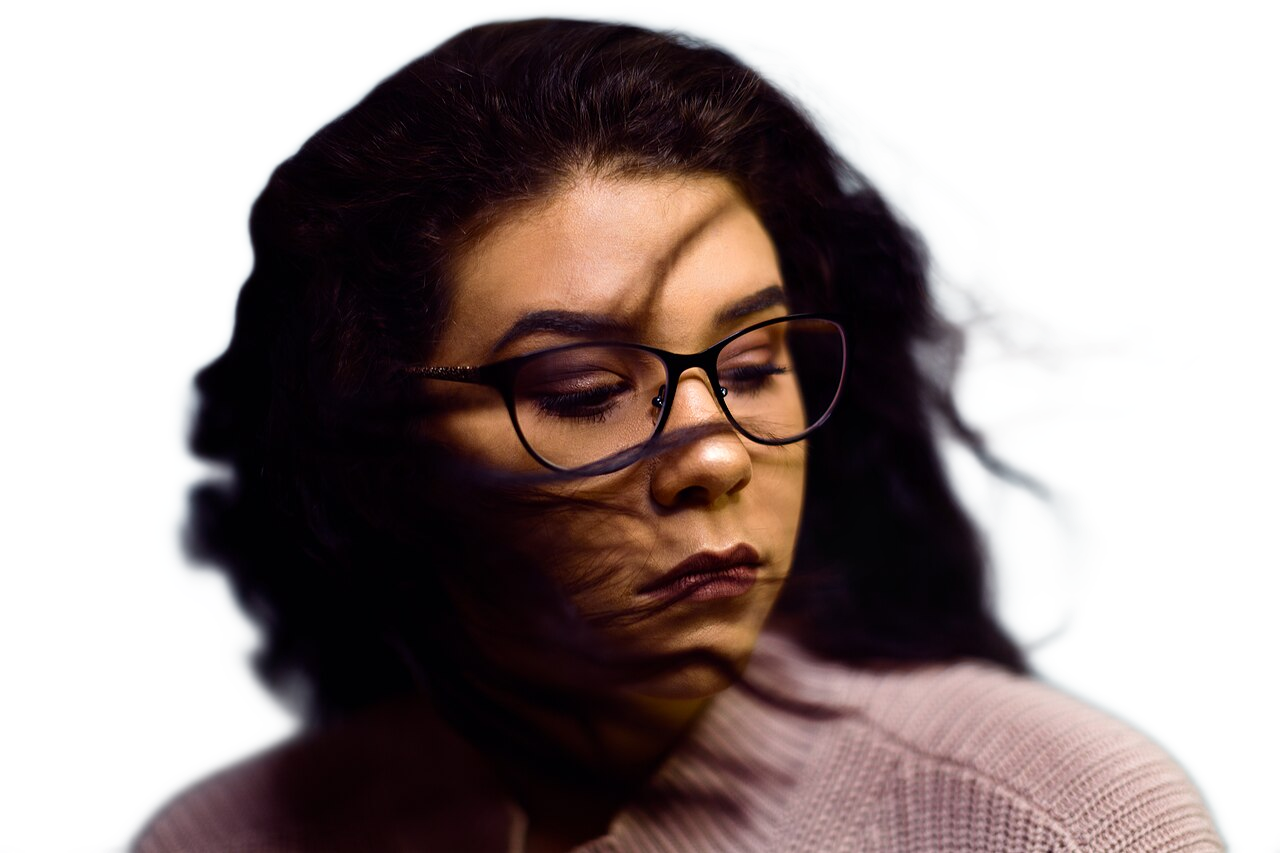
Both modes retained the face, glasses, clothing and main hair mass. Much of the fine hair extending to the right disappeared. Some soft edges still carry color from the original background.
Detailed changed the contour but did not restore every missing strand. Switching modes alone cannot be promised to solve fine, motion-softened hair like this. A small avatar and a large composite also have different acceptance criteria.
- Read related articlePrepared input PNG
- Read related articleBalanced: transparent PNG
- Read related articleDetailed: transparent PNG
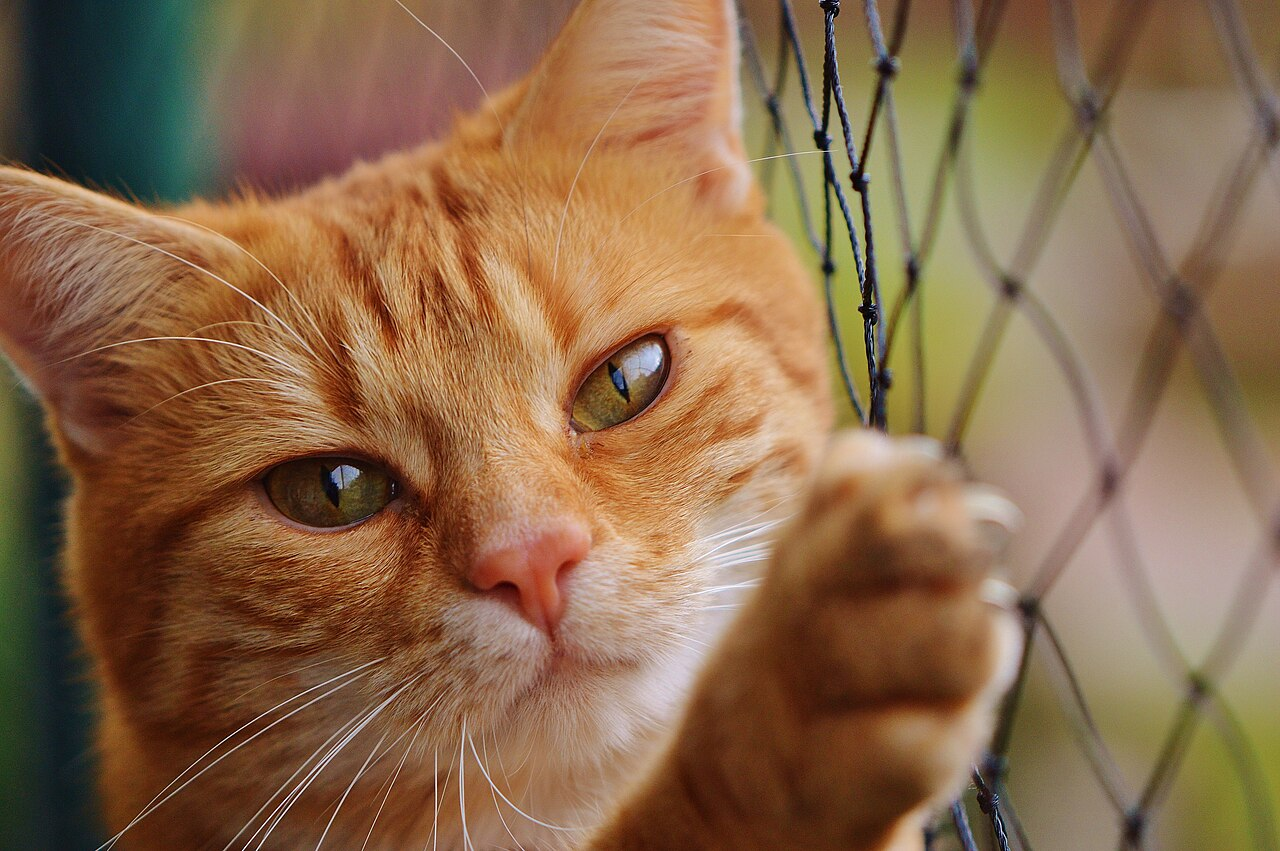
Cat: some whiskers improved, but not every nearby object disappeared
Sharp facial markings and intact whiskers are different things. In the matched crop, Balanced loses much of several long lower-left whiskers; Detailed retains longer portions of some of them. This is a concrete reason to try the second mode for this photo.
The full-frame results also retain some cord below the paw in both modes. Whether an object held by the animal should remain depends on the intended cutout. A local improvement is not evidence that Detailed solves all fur photographs.
- Read related articlePrepared input PNG
- Read related articleBalanced: transparent PNG
- Read related articleDetailed: transparent PNG
Glass mug: the hole clears, but the body stays gray
This is decorated glass, not an opaque ceramic mug. Both modes remove the background inside the handle. The inner handle boundary differs in shape and sharpness, and residual soft areas near the base also differ.
On navy, the body still contains gray from the input. The current pipeline applies an opacity mask to the original colors; it does not separate old background color transmitted through the glass and reconstruct the glass for a new scene. A successful handle opening therefore does not mean realistic glass transmission has been solved.
- Read related articlePrepared input PNG
- Read related articleBalanced: transparent PNG
- Read related articleDetailed: transparent PNG
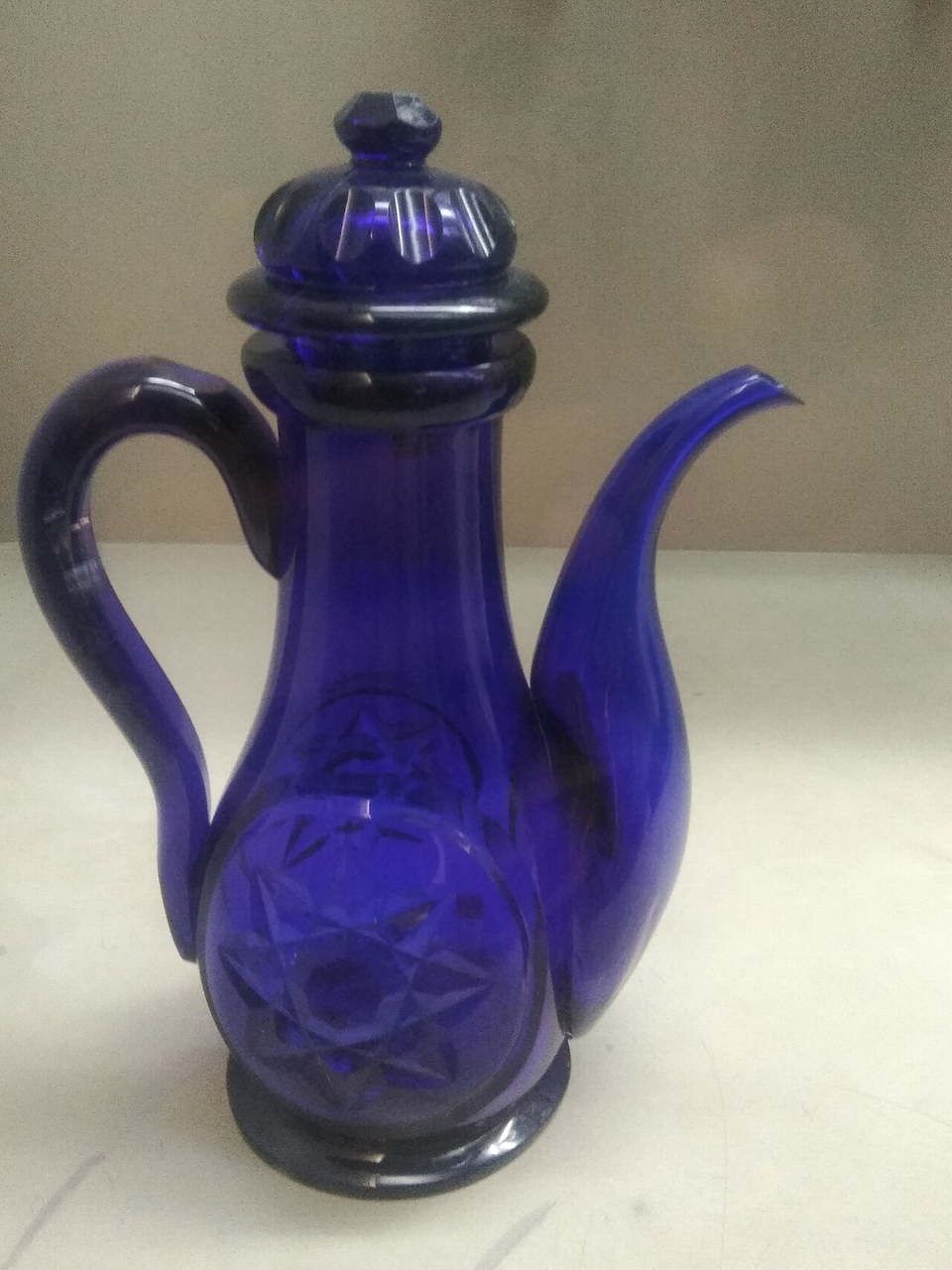
Blue glass ewer: complex geometry did not automatically mean a bad cutout
The lid, handle and curved spout separated in both modes, including the handle opening. These results do not justify declaring every complex object unusable.
The spout crop shows small boundary differences, but the full-frame change is limited. Neither mode reconstructs the body’s light and transmitted color for a new background. A quick outline cutout is not equivalent to a finished high-end glass product composite.
- Read related articlePrepared input PNG
- Read related articleBalanced: transparent PNG
- Read related articleDetailed: transparent PNG
Why identical output dimensions can have different boundaries
The current code stretches the input to 512×512 or 768×768 for segmentation, then resizes the resulting opacity mask to the input dimensions and applies it to the original colors. A 1280px output does not mean every boundary was judged at 1280px resolution.
Detailed increases the model input side length by 1.5× and pixel count by 2.25×. This is not 2.25× better quality or a measured 2.25× runtime. Some cat whiskers benefited; missing wind-blown strands were not fully recovered.
How to choose a result for your own photo
Start with Balanced and check that the intended subject survives. If an edge matters, compare Detailed at the same display scale. Switch between the tool’s light and dark preview backgrounds, then inspect the actual destination background and intended final size.
- Portraits: inspect ears, glasses, shoulders and fine hair—not just the face.
- Animals: inspect whisker tips, gaps around paws and retained cords or objects.
- Glass: separate clear openings from transmitted body color. Precision product composites may need additional editing.
- If both modes miss the same features, repeatedly processing the same file is less useful than trying a sharper photo with clearer subject/background separation. We did not measure the benefit of reshooting in this experiment.
Evidence and limits: four cases, not a performance ranking
This is a convenience sample of four public photos using one model and one browser execution path. It is not a representative benchmark or competitor comparison, and two glass objects cannot represent every transparent product. There are no ground-truth masks, user ratings, mobile tests, WebGPU comparisons or repeated-run speed statistics.
Prepared inputs and untouched transparent outputs are available for your own backgrounds and zoom levels. Hashes identify the files tested; they do not guarantee identical bytes in future browsers or models. The project reproduction script is scripts/measure-background-removal-quality.mjs.
- Read related articleReproduction steps and file notes
Test conditions and reproduction
Same photos, two modes
- 1
On October 12, 2026, we checked each Wikimedia Commons file’s CC0 license: a glass mug, wind-blown hair, a cat and a blue glass ewer. The portrait has a documented pre-June-2017 Unsplash CC0 publication history; this does not make all Unsplash photos CC0.
- 2
We downloaded public thumbnails, normalized orientation, stripped metadata and saved full-frame PNG copies with a maximum 1280px long edge. These prepared files—not camera originals—were the inputs. Larger originals could produce different results.
- 3
A separate local Chrome harness called the current component’s makeTensor/renderTransparentPng helpers and the built background-removal.worker. We fixed the backend to WASM and ran each input once at 512 (Balanced) and 768 (Detailed), eight runs total. This uses the actual conversion path, but is not a browser end-to-end test of file selection, buttons or recovery. We did not benchmark speed, mobile or WebGPU.
- 4
We saved transparent PNGs and composited them on #243247. Full-frame and identically positioned crop comparisons are lossless WebP files, resized only for display without sharpening or edge repair. Input/output, source and model hashes and crop coordinates are provided below.
Raw reproducibility records (JSON)
The main results are explained above. These raw records contain processing conditions and file hashes. Opening a link displays JSON text, not an illustrated article.
Photo credits, licenses and model notices


Check what survived—not just what disappeared
All four main subjects separated, but fine boundaries and transparent-material rendering retained limitations. Detailed helped some whiskers without recovering every missing feature in every photo.
A useful workflow is Balanced → compare only the important edges with Detailed → inspect on light, dark and final backgrounds at the intended size. This experiment documents both useful results and visible limits rather than polishing them away.